
1
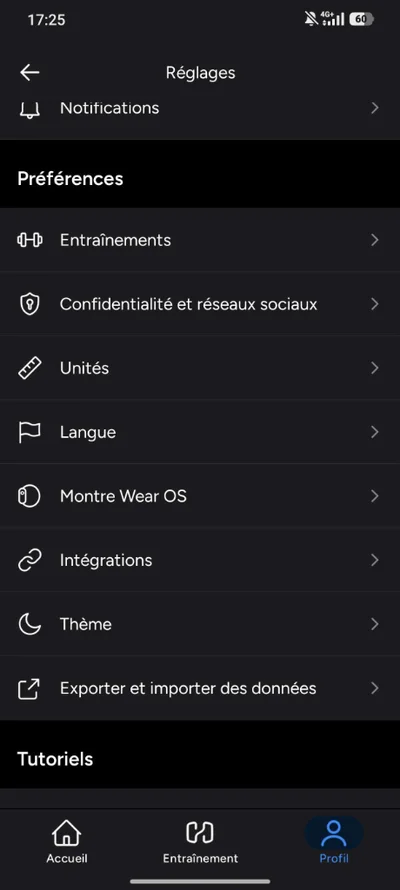
Open Hevy Settings
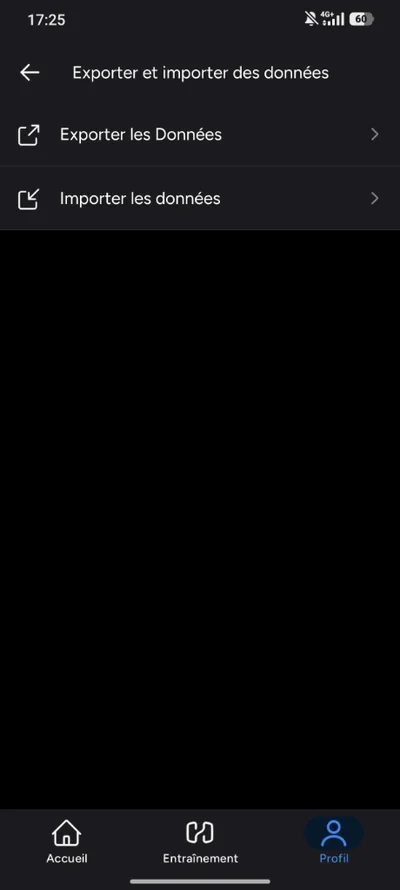
Open your Profile, tap Settings in the top right corner, then scroll to Export & Import Data.
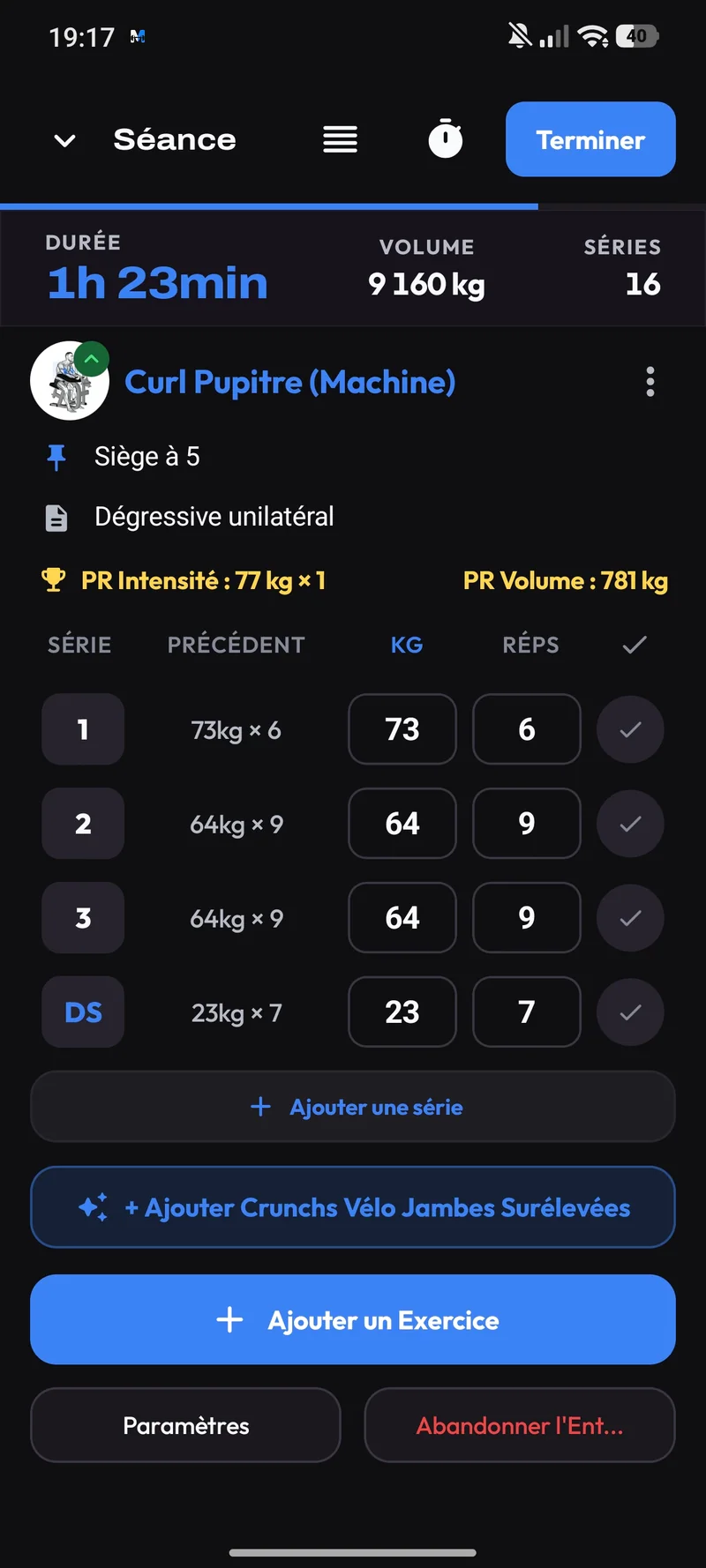
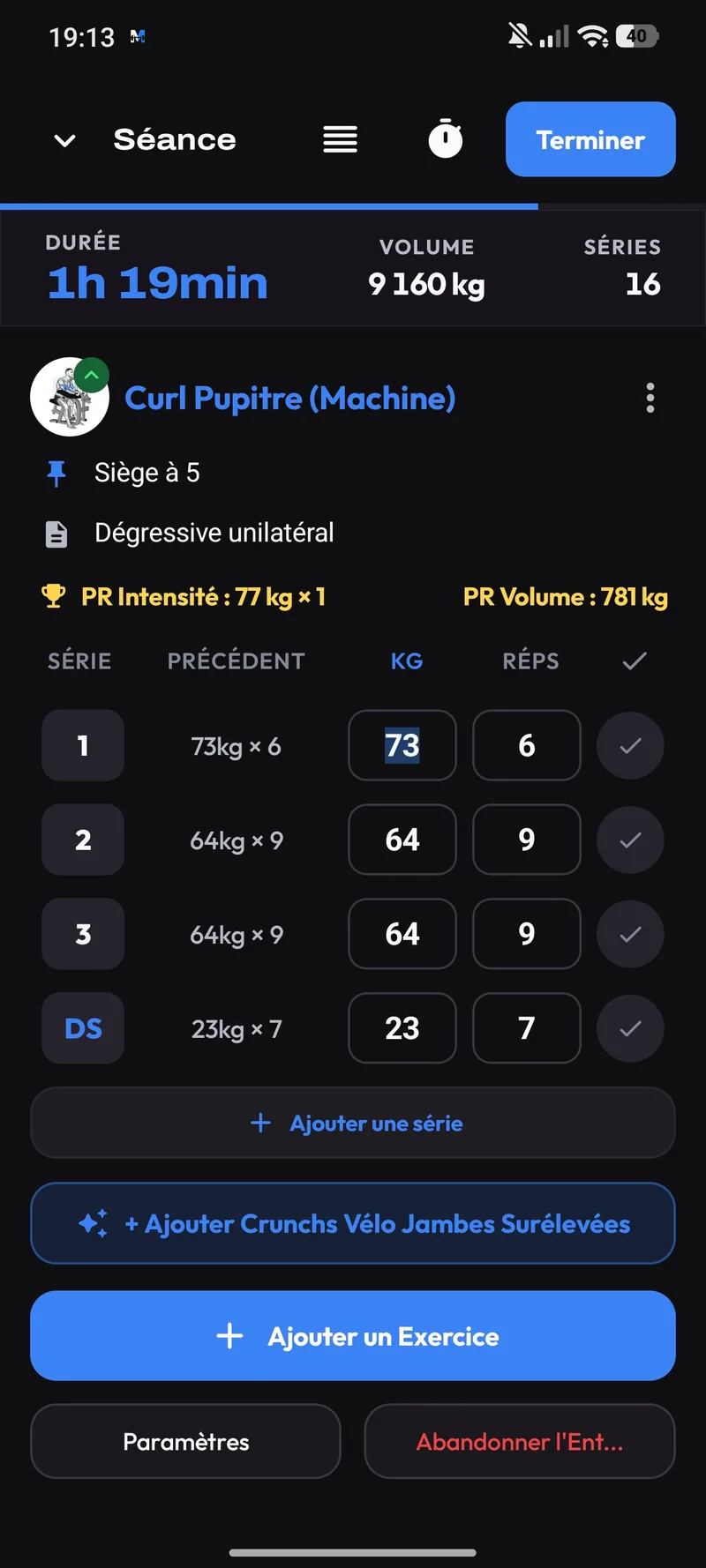
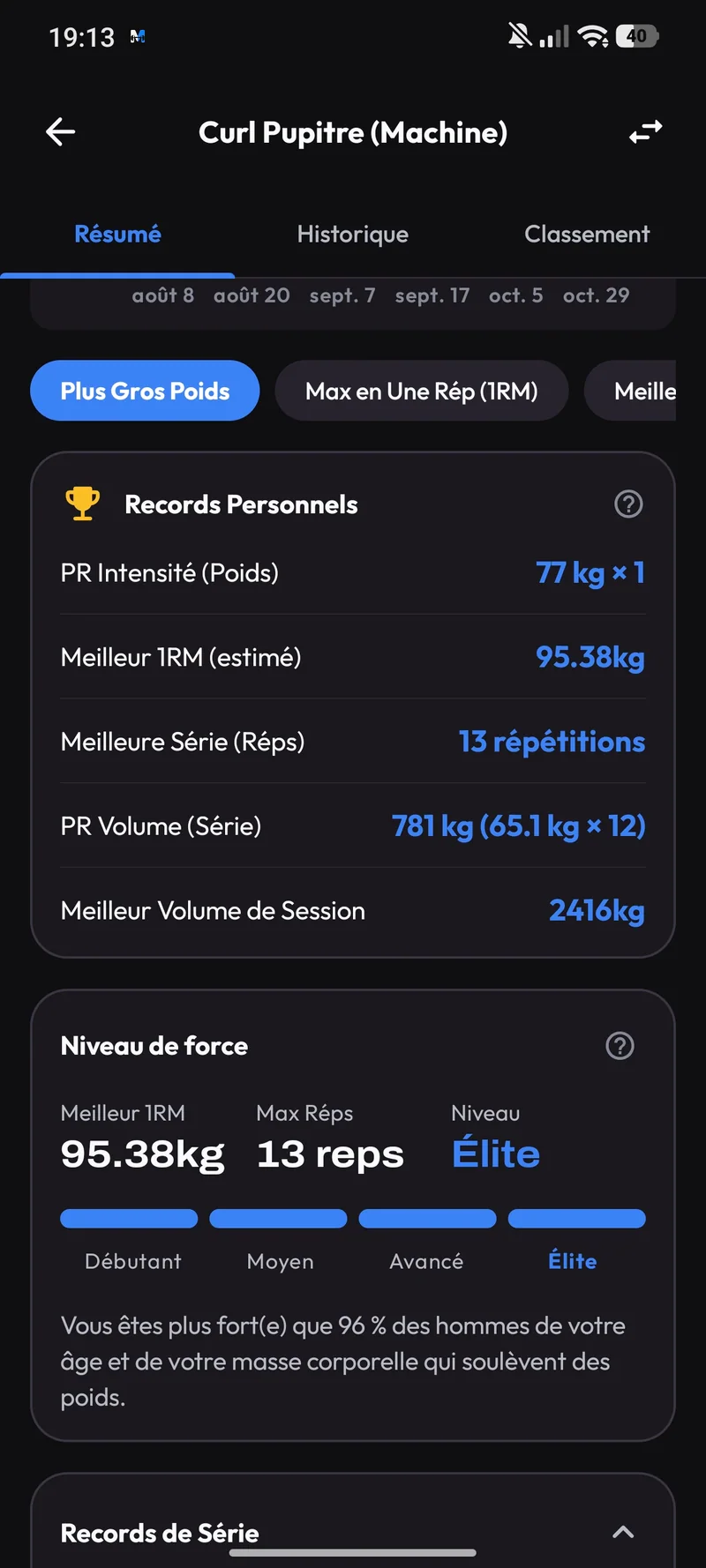
Melo loads your previous stats, detects all 6 PR types when you validate a set, runs your auto timer, and remembers which exercises you do and in what order.
Validate your set: Melo detects PRs and starts the configurable timer. Often do Bicycle Crunches after Preacher Curl? The app understands your order and suggests it directly.
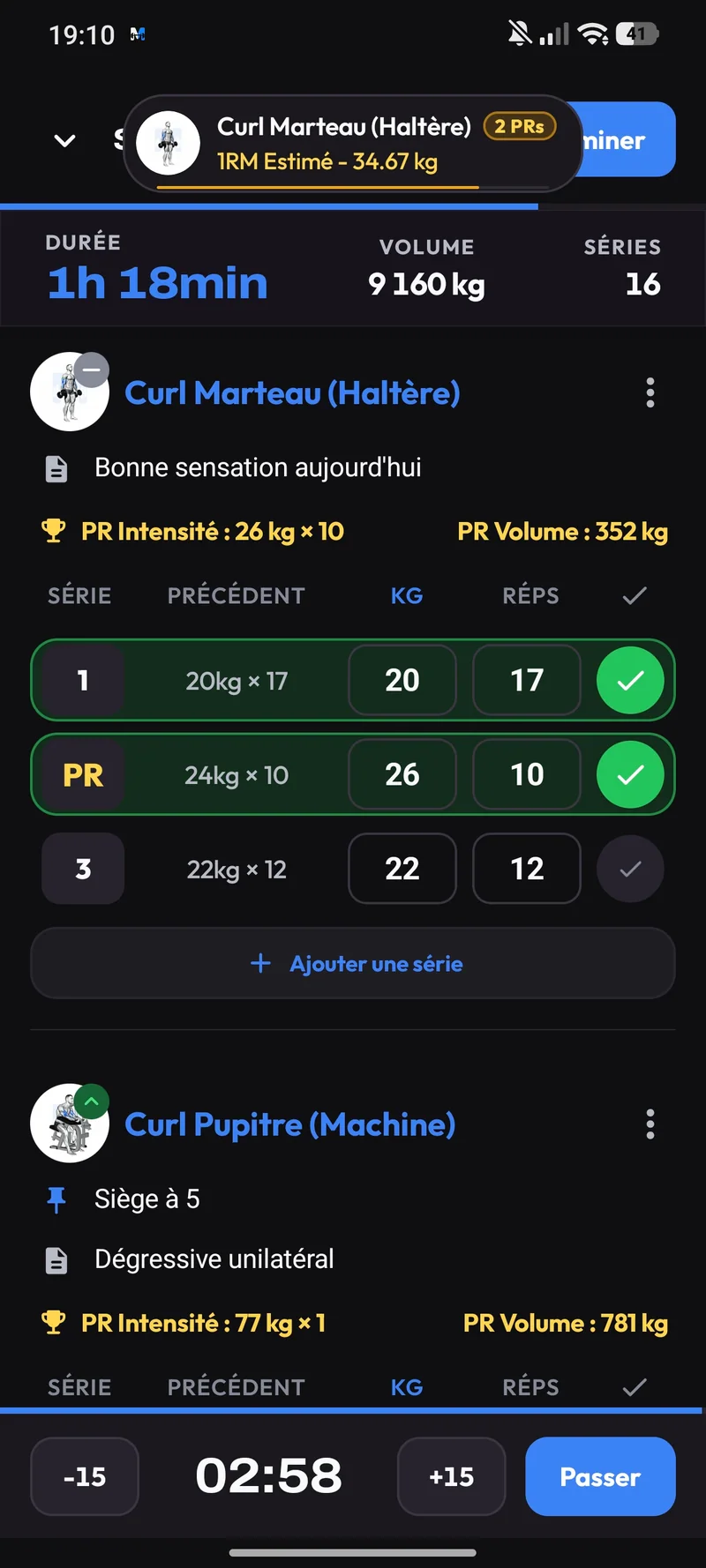
Every validated working set is compared against your full history:
New all-time heaviest load lifted on the exercise.
Theoretical max strength calculated on multi-rep sets.
All-time heaviest load completed on a single-rep set.
Highest tonnage achieved on a single working set.
Record combined tonnage on the exercise in one session.
Most reps at your max weight or on bodyweight lifts.
Tap the 3 dots (⋮) on any exercise to link a superset, reorder your workout, or pre-fill sets in 1 click.
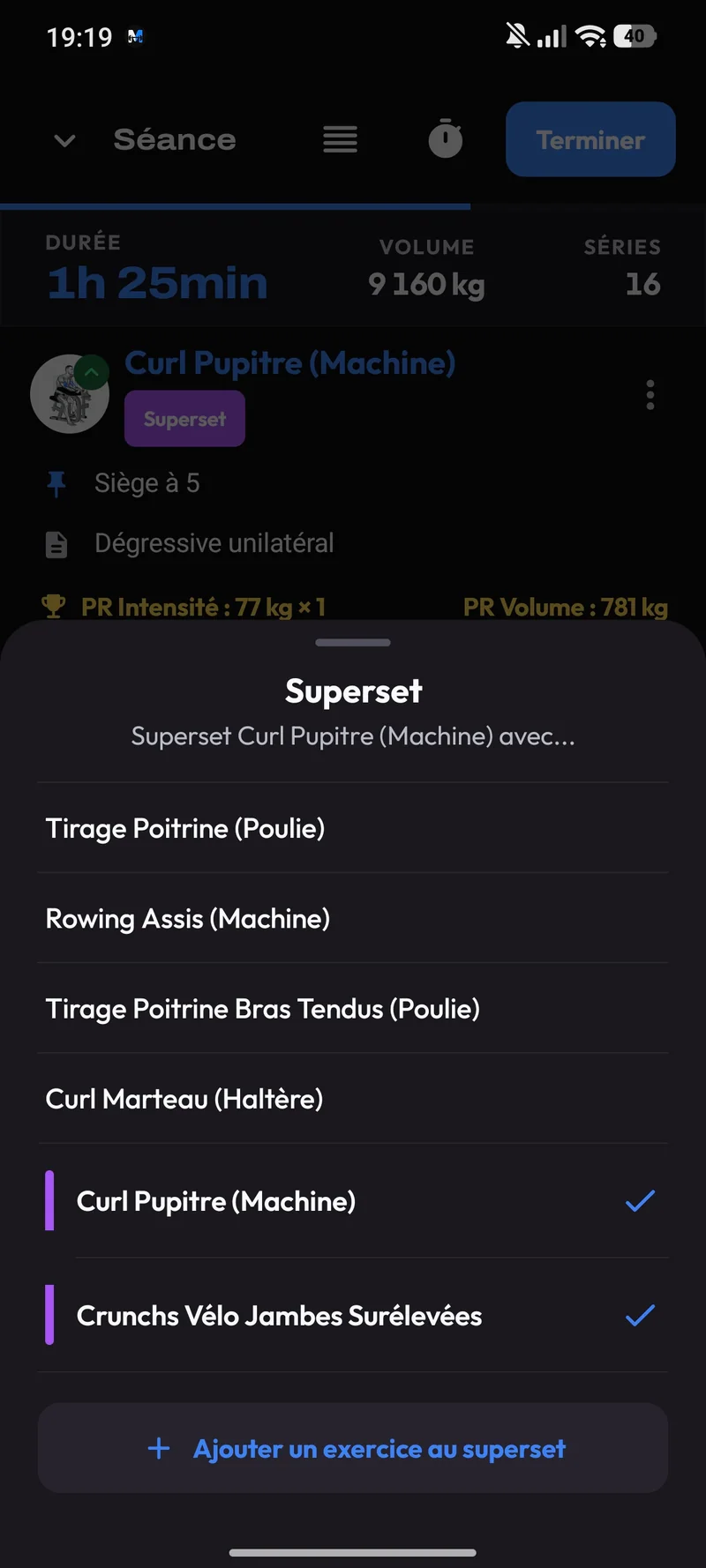
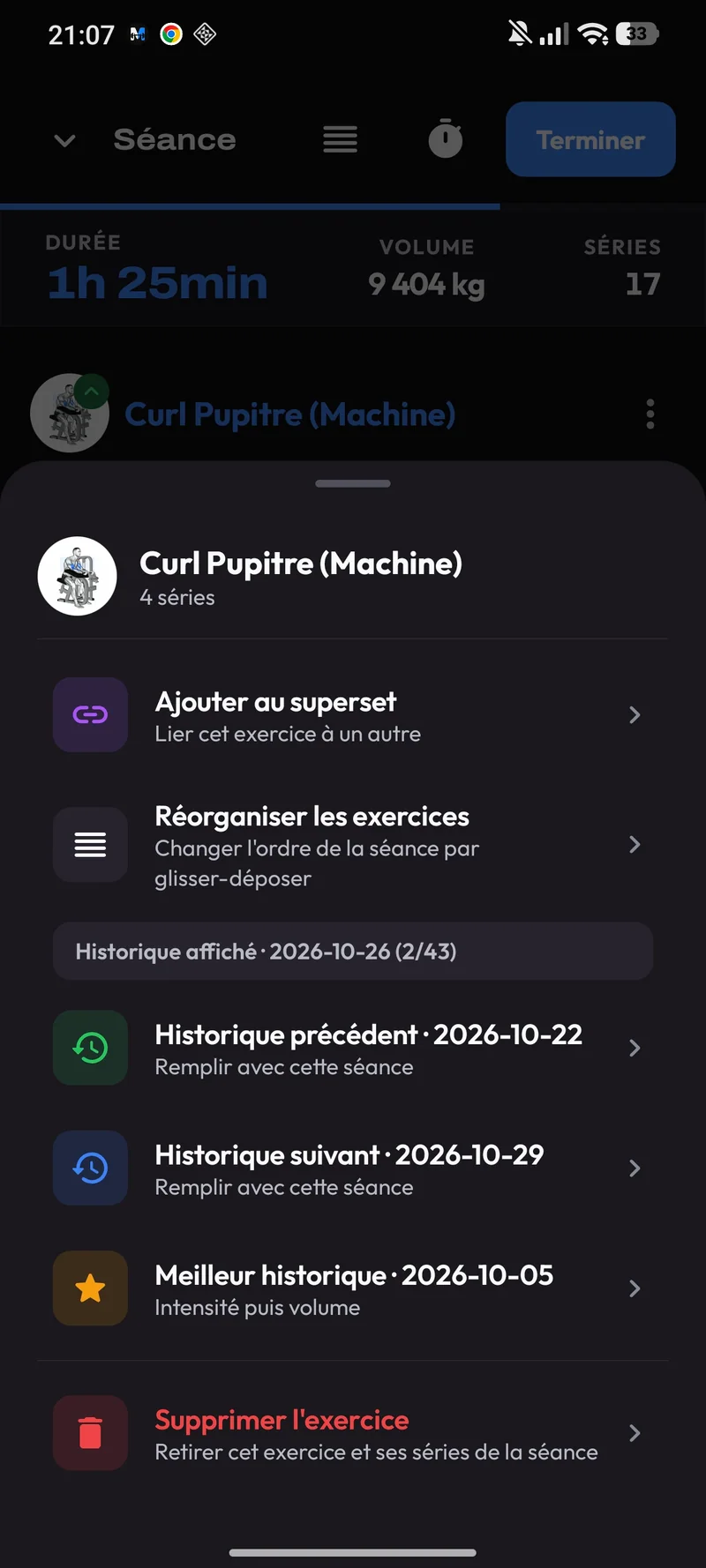
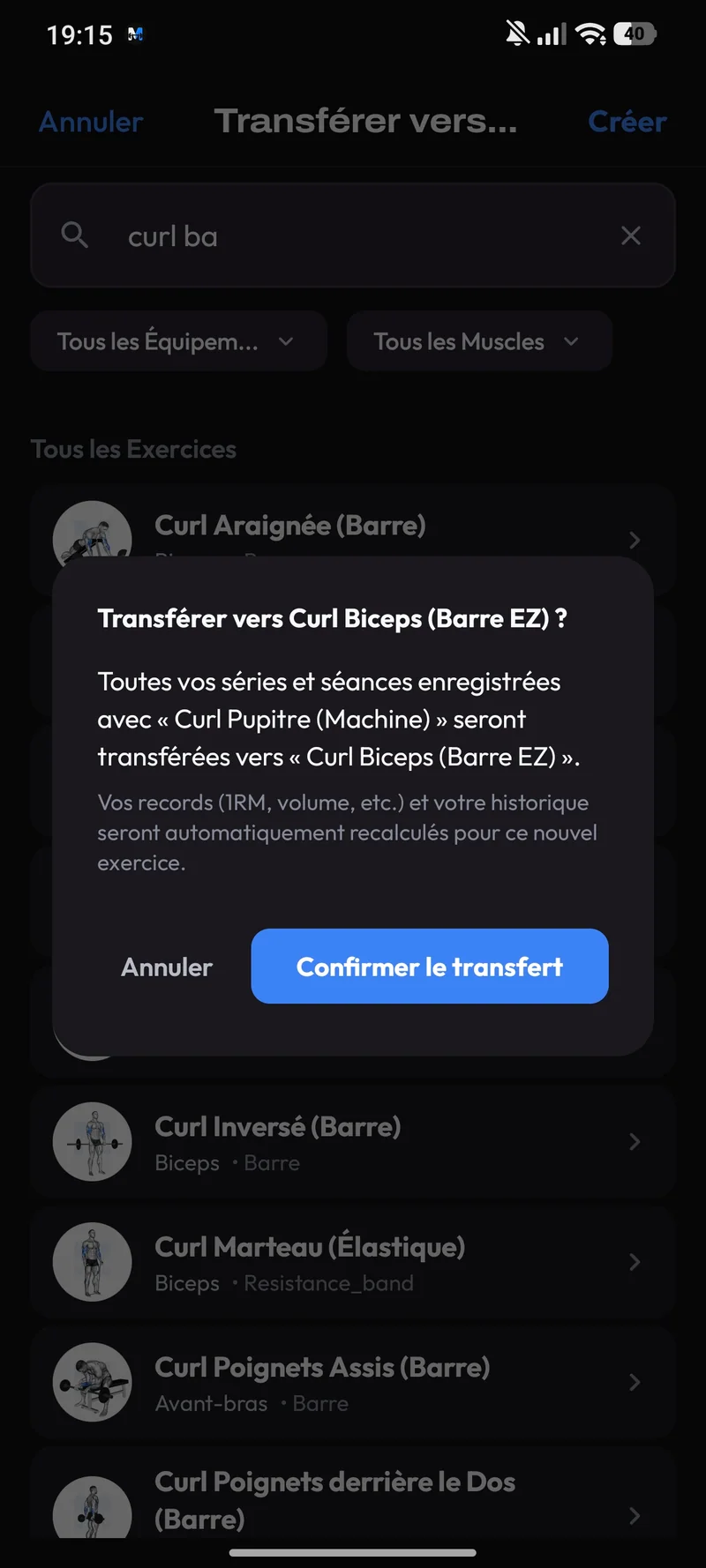
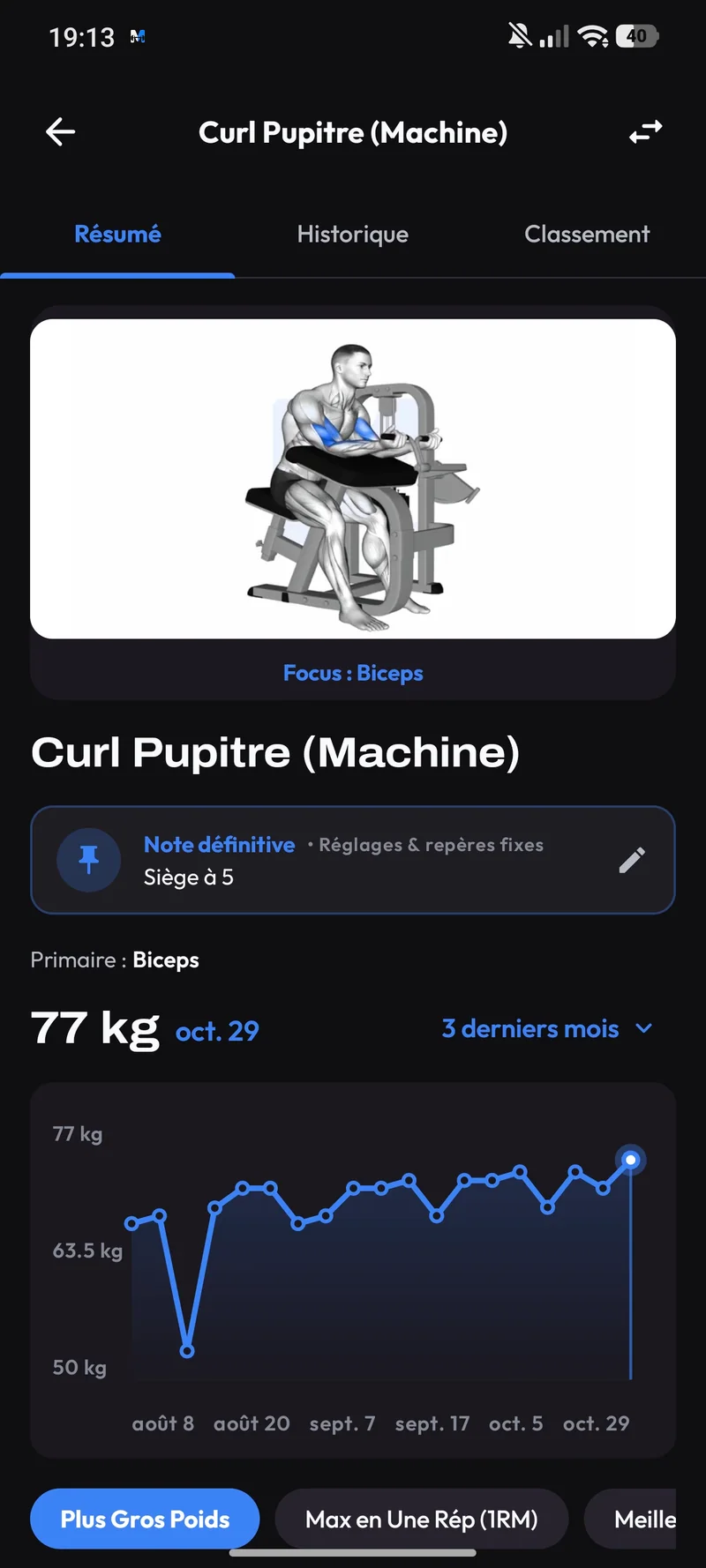
View your curve, strength level (Beginner to Elite), and friends leaderboard. Logged the wrong exercise? Transfer all history in 1 click.
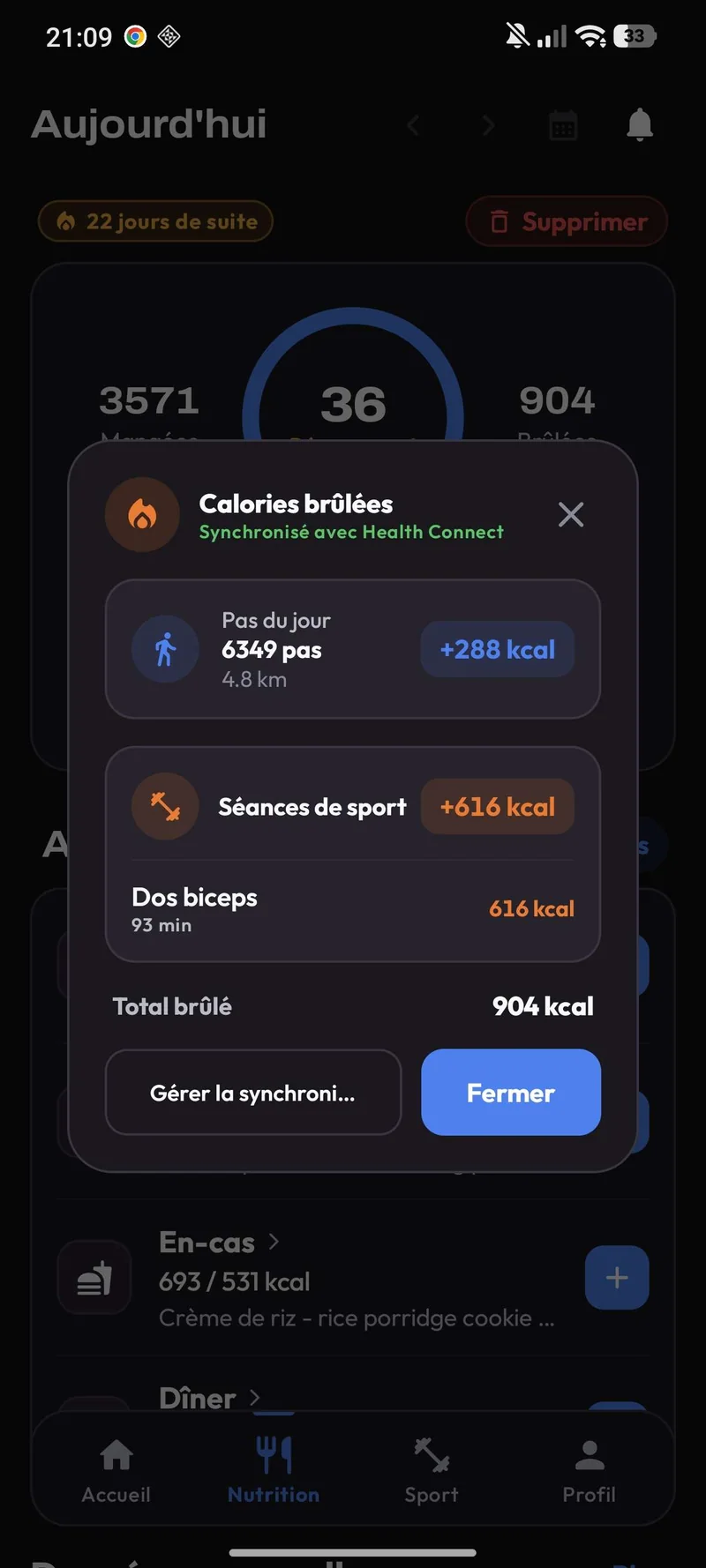
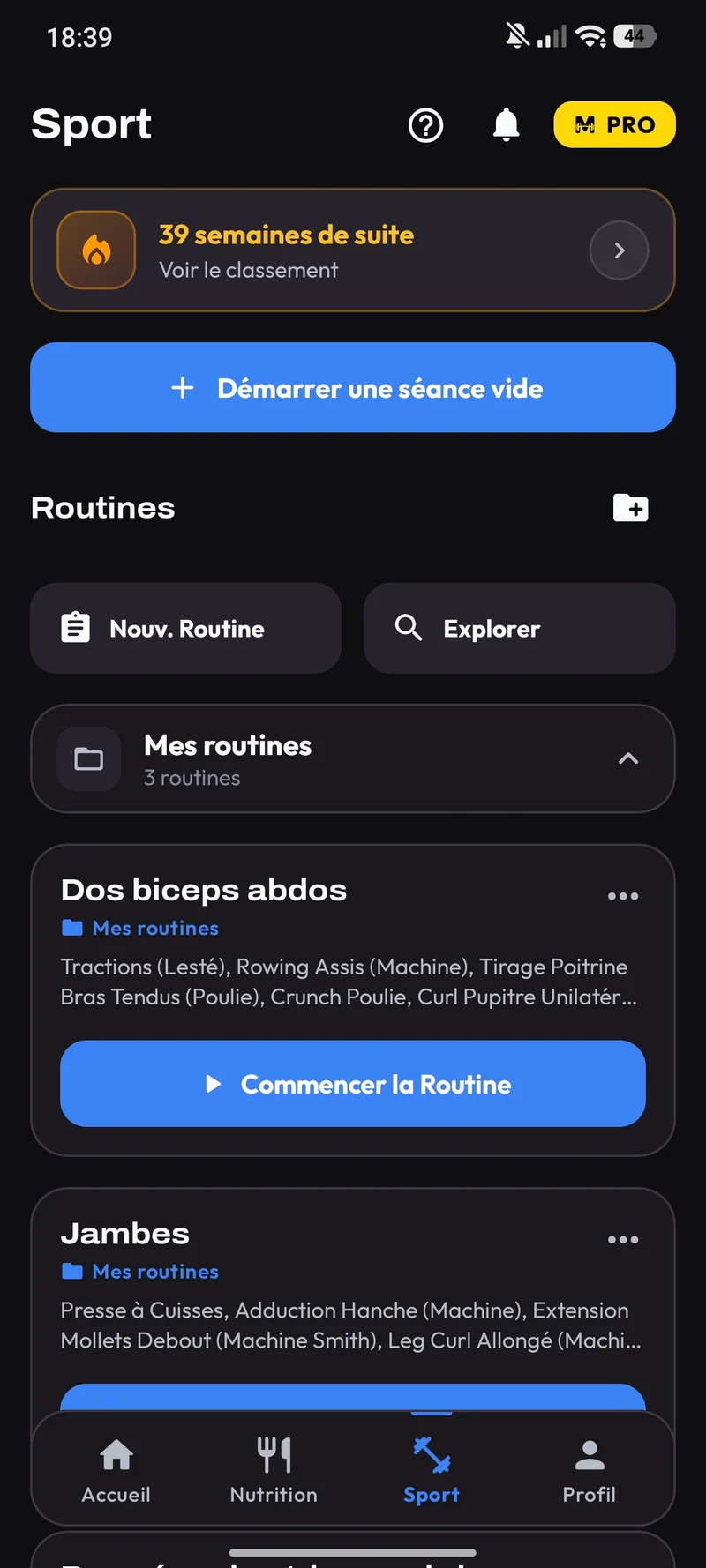
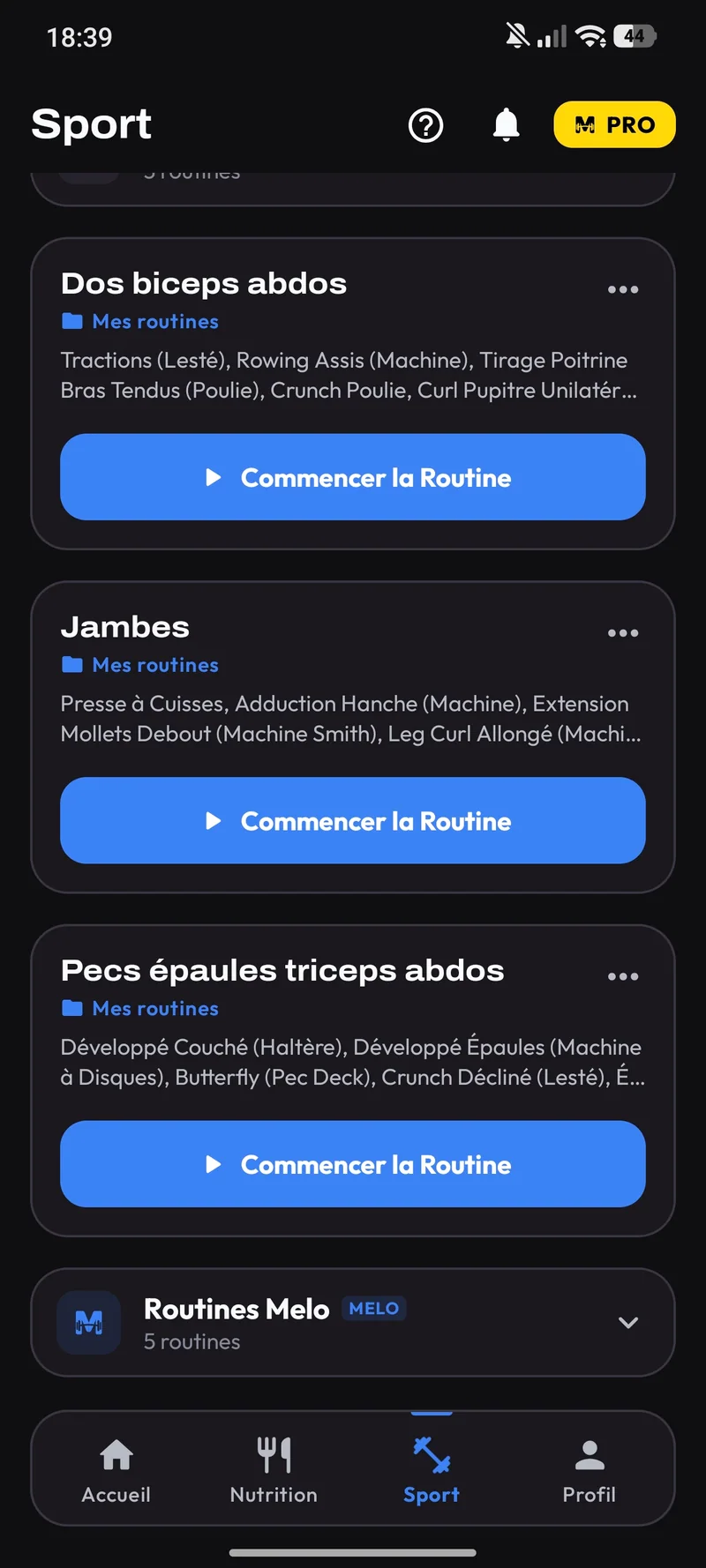
Track consecutive workout weeks, organize routines in folders, and see burned kcal (workout + steps) synced in Nutrition.
No need to start from scratch: export your CSV file from Hevy and share it straight into Melo.
Open your Profile, tap Settings in the top right corner, then scroll to Export & Import Data.
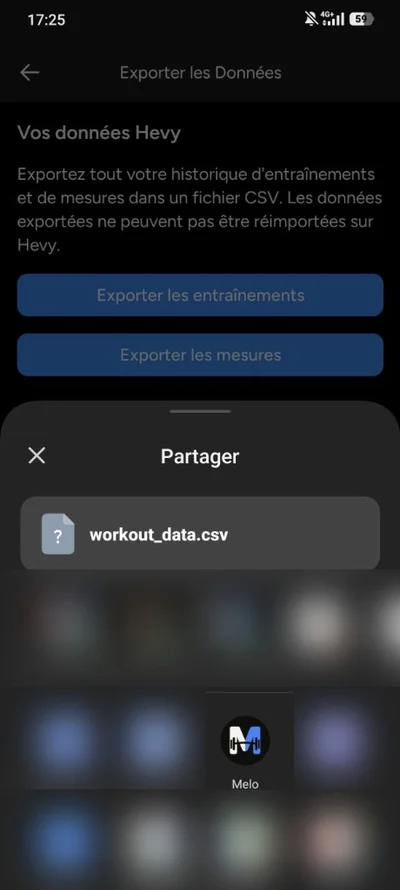
Select Export Data, then tap Export Workouts to generate workout_data.csv.
In your phone's Share menu, pick Melo: all your workouts, sets and PRs import automatically.
If you regularly perform an exercise after another (e.g., Bicycle Crunches after Preacher Curl), Melo suggests it in 1 tap right below your current exercise.
Open the exercise page, tap ⇄ in the top right, and pick the destination exercise (e.g., EZ-Bar Curl): all sets and PRs are moved and recalculated.
Yes, via the ⋮ menu on the exercise: switch in 1 click between Previous History, Best History, or Next History.
Smart workouts, gram-accurate nutrition, and a motivated community.